Kids screen time tracker for Android
Check your child's screen time from your own phone. TrueNotification reports how long the child phone was used, broken down by app, with a rolling 15-day history. It does not lock the phone or set a daily limit. For limits, keep using Google Family Link and add this for the picture Family Link does not draw.
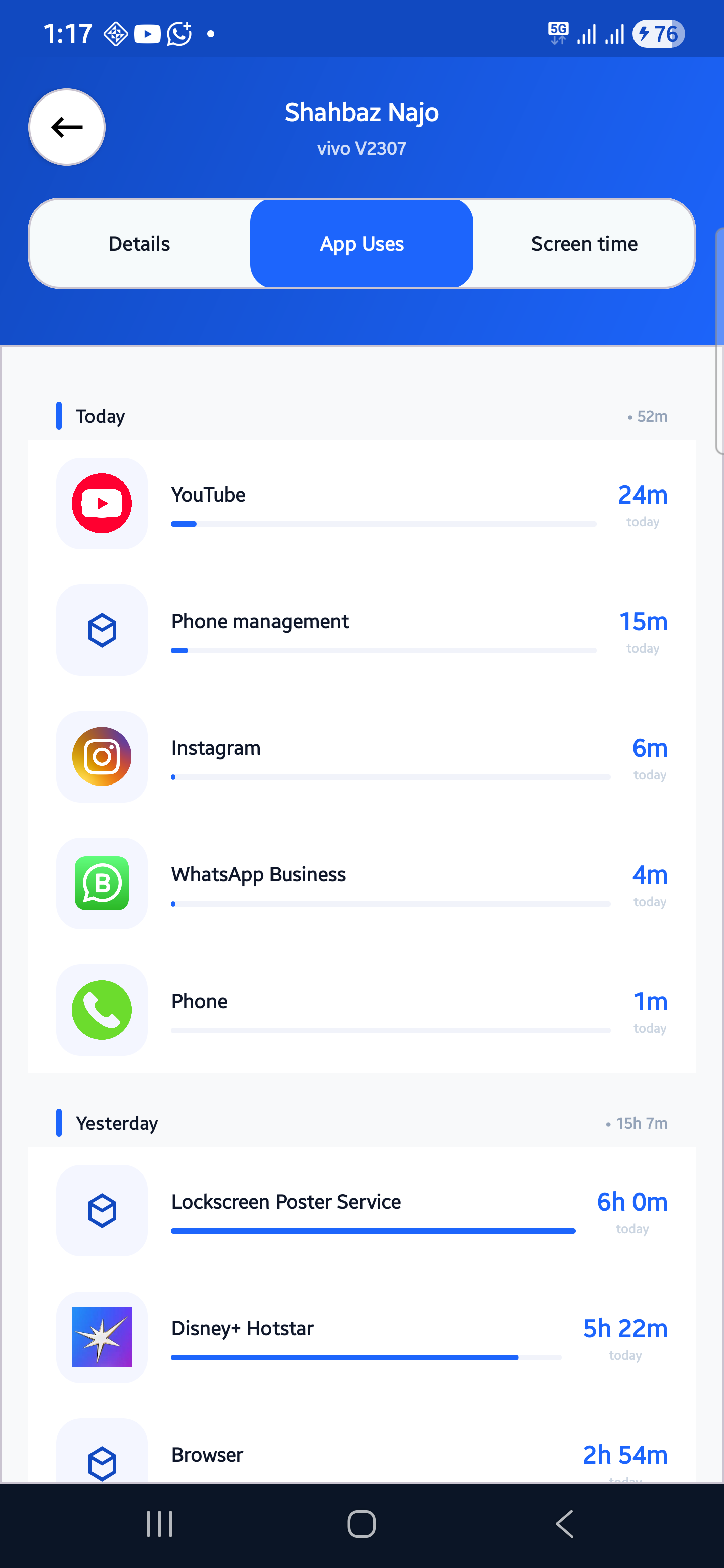
How to check screen time from the parent phone
Setup
- Pair the two Android phonesInstall TrueNotification on both phones. Enter the child phone's 6-digit code on the parent phone. Do this with your child, not in secret.
- Turn on Usage accessOn the child phone go to Settings, Apps, Special app access, Usage access, and allow TrueNotification. Android hides this permission on purpose so it is a deliberate choice. The parent phone does not need it.
- Read the reportOpen the parent app. You get daily time on the device and time per app. Records older than 15 days are dropped.
What the tracker includes
You see which apps took the time and about how long the phone was in use that day. You do not see websites, search queries, or location. Revoke Usage access and collection stops immediately. The persistent notification on the child phone stays, so your child knows the app is still installed.
Screen time is a conversation tool. A number such as "four hours on one app" is useful only if you talk about it. TrueNotification does not block that app. If you need a hard stop at bedtime, that is Family Link's job. The comparison spells out the split.
When the numbers look empty
Usage access is off, the app was force-stopped, or the phone's battery manager closed it. Xiaomi, Redmi, Realme, and Vivo do this often. Walk through the setup guide, then check app usage again the next day. One day of data is a thin sample.
Questions parents ask
Pair the phones, then allow Usage access on the child phone. The parent app shows daily screen time and a 15-day history. Revoking Usage access stops those reports immediately. Steps are on the screen time tracker page.
Use them together. Family Link is the right tool for screen-time limits, bedtime, app approval, and location. TrueNotification does none of those. It adds the piece Family Link does not: a live mirror of notifications, plus screen-time and app-usage reports. See the comparison.
Yes. While monitoring is active, TrueNotification keeps a persistent system notification on the child device. Talk with your child before you pair. If notification access is turned off, or the app is removed, the parent is told.