App usage tracker for kids
An app usage tracker for kids shows which apps occupy a child's Android phone, and for how long, on the parent phone. TrueNotification ranks that usage for the paired parent. It does not record the screen, read chats inside an app, or list the sites a browser opened.
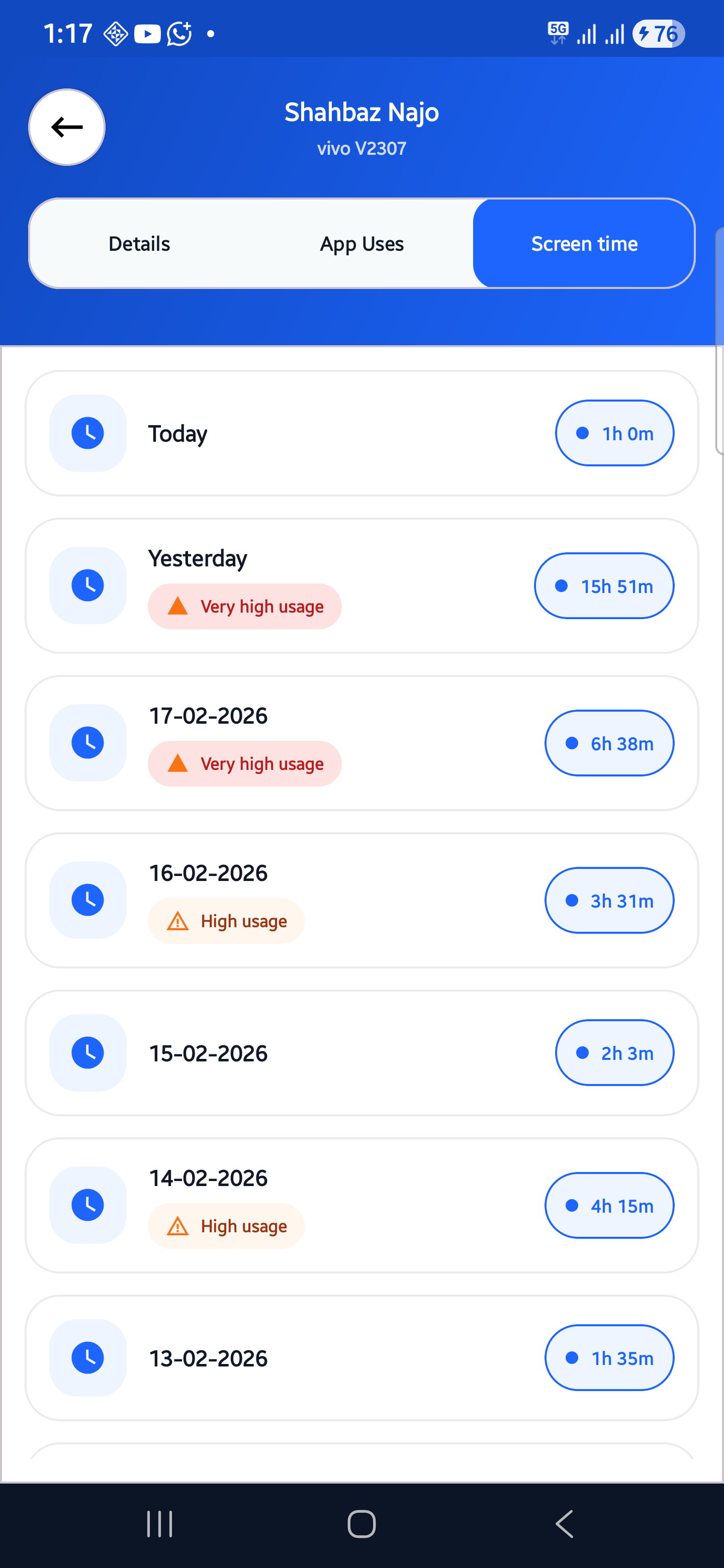
What you can see
After Usage access is allowed on the child phone, the parent dashboard lists apps by time. That is the same permission Android uses for its own Digital Wellbeing screen, granted manually under Special app access. The free plan shows a shorter view. Premium, billed by Google Play, opens the fuller history. Prices stay on the pricing section so this page does not drift out of date.
The ranking updates as the child uses the phone. It is not a live video of the screen. If you need the words inside WhatsApp, that is a different feature — the notification mirror — and it only includes text the notification itself contains.
How to read it without a fight
A simple weekly check
- Look at the top three appsThose names tell you more than the total hour count. A school app and a game are not the same hour.
- Compare with screen timeThe screen time tracker is the total. App usage is the split. Use both before you set a rule.
- Tell your child the ruleThe app is visible on their phone. Agree what the numbers mean — homework, a limit you set in Family Link, or a conversation — so the tracker is not a surprise.
Nothing here needs a hidden install. If Usage access is revoked, this report stops. The child can do that. That is a feature of a consent-based parental control app, not a bug.
Questions parents ask
Pair the phones, then allow Usage access on the child phone. The parent app shows daily screen time and a 15-day history. Revoking Usage access stops those reports immediately. Steps are on the screen time tracker page.
No. TrueNotification has no hidden mode. The child can see the app and the ongoing notification. If you need a tool that hides itself, this is not that product.
Yes, when you are the parent or legal guardian and your child knows the app is installed. The persistent notification is there so the arrangement stays visible. Do not install it on another adult's phone.