Get your child's phone notifications on your phone
TrueNotification is a notification mirror app for parents. A notification that lands on your child's Android phone shows up in the parent app. You do not sign into their WhatsApp, Instagram, or SMS app. The child can see TrueNotification on their own phone the whole time.
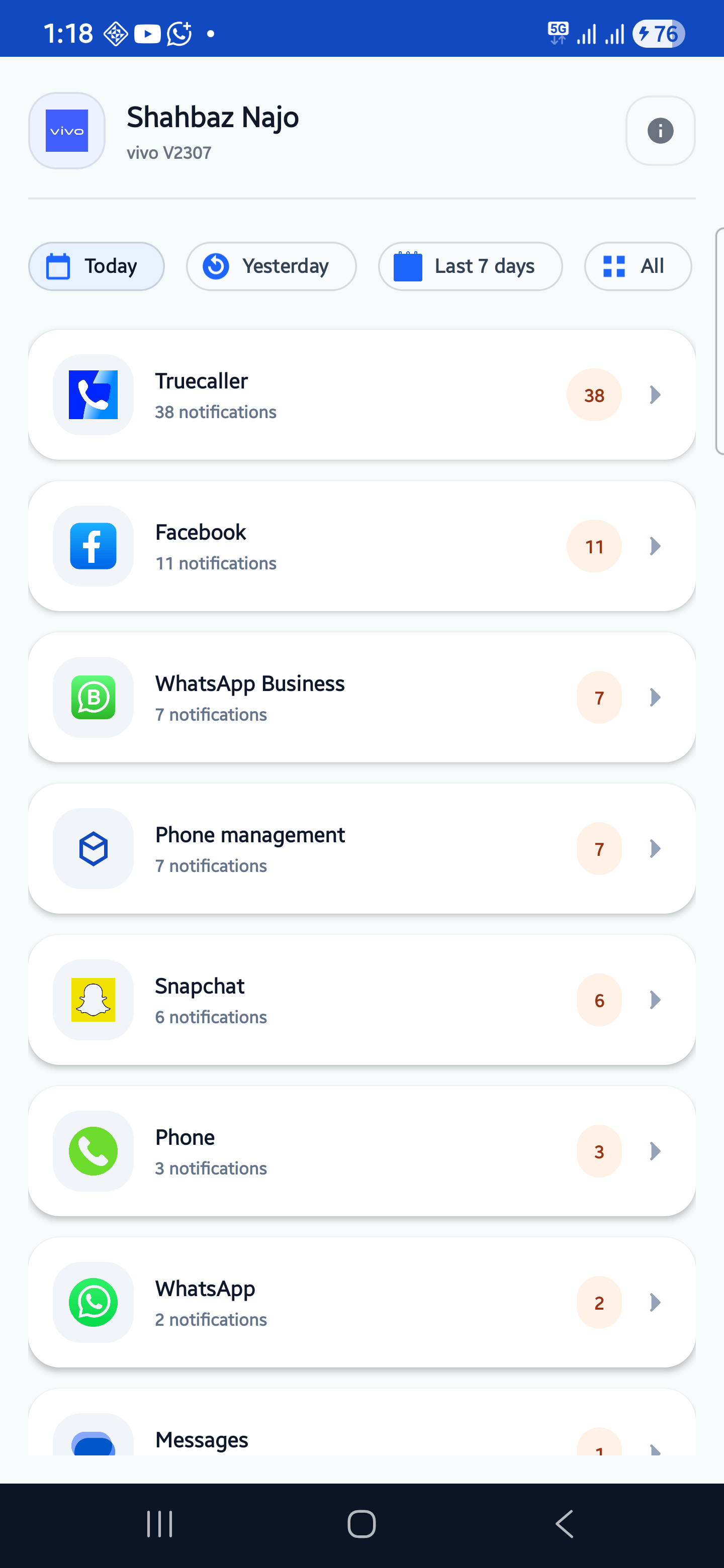
What a notification mirror does
Android already shows incoming alerts on the child phone. Notification access lets TrueNotification read that alert — the app name, title, text, and time — and send it to the paired parent account. We do not dismiss, block, or change the child's notification. We do not read notifications on the parent phone.
Parents search for this as "same notification on two phones" or "app to see child's phone notifications on parent phone." Both describe this feature. The second phone does not become a clone of the child's accounts. It receives a copy of the notification inside TrueNotification.
WhatsApp, Instagram, and everyone else
If WhatsApp puts a preview in the notification, that preview is what you see, because that is what the child sees on their lock screen. Older chats stay in WhatsApp. Instagram, Snapchat, YouTube, games, and SMS work the same way: only the notification, only after pairing, only while access stays on.
We do not collect banking passwords or card numbers. A bank's own notification can still appear if the bank app shows one on the child phone. We do not open the banking app.
How to turn notification alerts on
Three steps on Android
- Install on both phonesGet TrueNotification from Google Play on the parent phone and the child phone. The parent phone never needs Notification access.
- Allow Notification access on the child phoneAndroid asks for this in special app access. After you allow it, a persistent notification stays on the child phone so monitoring is obvious. Leave that notification in place.
- Pair, then wait for a new alertThe child phone shows a 6-digit code for 10 minutes. Enter it on the parent phone. Alerts that arrive after pairing are mirrored. History from before pairing is not backfilled.
On Xiaomi, Realme, Vivo, and Samsung the mirror stops if the brand's battery manager force-closes the app. Fix that in the phone setup guide before you judge the feature.
What this is not
- Not a hidden mode. If you want the app to be invisible, do not use TrueNotification.
- Not a call-log reader and not an SMS database reader. Call and message alerts are the notification. See call and SMS alerts.
- Not a replacement for screen-time limits. Keep Google Family Link if you want limits, bedtime, and location.
Questions parents ask
Yes. That is the core of the app. A notification that arrives on the child phone is mirrored into TrueNotification on the parent phone. It is not a second login to the child's WhatsApp or other accounts. Read notification alerts.
You see the notification WhatsApp already displayed on the child phone: the title and the text WhatsApp placed in that notification. TrueNotification does not log into WhatsApp, and it does not read WhatsApp's private database or older chats. The same rule applies to Instagram, Snapchat, and other apps.
We do not collect passwords, card numbers, or banking credentials. If a bank app posts a notification, that notification can be mirrored the same way any other notification is, because it is already on the child's screen. We do not open the banking app.
No. TrueNotification is a parental control app for a minor child, used by a parent or legal guardian. It runs in the open: the child phone shows a persistent notification while monitoring is on, and there is no hidden or stealth mode. It is not for monitoring a spouse, partner, employee, or any adult.