How to connect your child's phone to your phone
You can connect a child Android phone to the parent phone in a few minutes. Both people should be in the room. TrueNotification pairs with a 6-digit code, then uses Notification access and Usage access on the child phone only. The app stays visible there. There is no hidden install.
Before you start
- Two Android phones. iPhone is not supported.
- You are the parent or legal guardian, and your child knows why you are installing it.
- A Google account that can install from Play on both phones.
- Ten uninterrupted minutes. The pairing code expires.
Pairing steps
- Install TrueNotification on both phonesUse Google Play. The parent app and the child app are the same install. You choose the role inside the app.
- On the child phone, generate the codeThe child device shows a 6-digit pairing code. It is valid for 10 minutes. Do not send that code to anyone else.
- On the parent phone, enter the codeThe phones link. From this moment, new notifications can mirror. Nothing from before pairing is imported.
- Grant the two permissions on the child phoneNotification access is required for notification alerts. Usage access is required for screen time and app usage. Android puts both under Settings, Special app access. A persistent notification appears and should stay.
What the parent phone shows after pairing
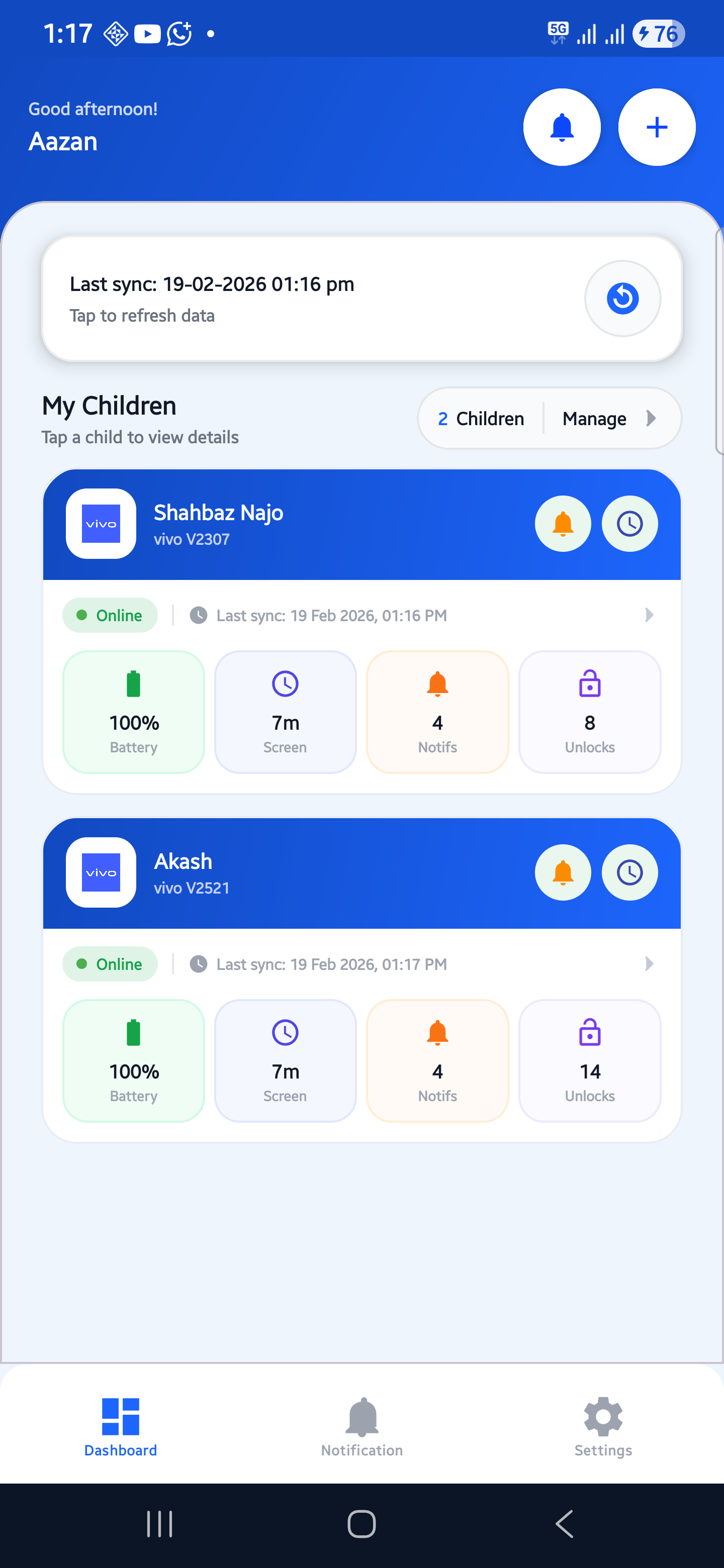
The dashboard is the live notification feed, screen time, ranked apps, call and SMS alerts taken from notifications, and battery plus online status. It does not show location, and it does not block apps. If you want limits and location, set up Google Family Link as well. The two apps do not conflict. Read the comparison before you uninstall either one.
Indian phones that close the app
Pairing can succeed and then go quiet an hour later. Xiaomi, Redmi, POCO, Realme, Oppo, Vivo, and some Samsung phones stop background work unless you allow autostart and unrestricted battery, and lock the app in the recent-apps list. Do that immediately, using the setup guide for Xiaomi, Realme, Vivo, and Samsung. If you skip it, the parent app will show the phone as offline even though pairing was correct.
If you need to undo it
Unpair that child from the parent app, or turn off Notification access and Usage access on the child phone. Collection stops when those permissions are revoked. To remove the account itself, use the in-app deletion request or the delete-account page.
Questions parents ask
Install TrueNotification on both Android phones. The child phone generates a 6-digit code that stays valid for 10 minutes. Enter that code on the parent phone. Both people should be present. The full steps are on how it works.
Yes. While monitoring is active, TrueNotification keeps a persistent system notification on the child device. Talk with your child before you pair. If notification access is turned off, or the app is removed, the parent is told.
Yes, when you are the parent or legal guardian and your child knows the app is installed. The persistent notification is there so the arrangement stays visible. Do not install it on another adult's phone.
Android phones and tablets. Install it on the parent phone and the child phone. iPhone is not supported.